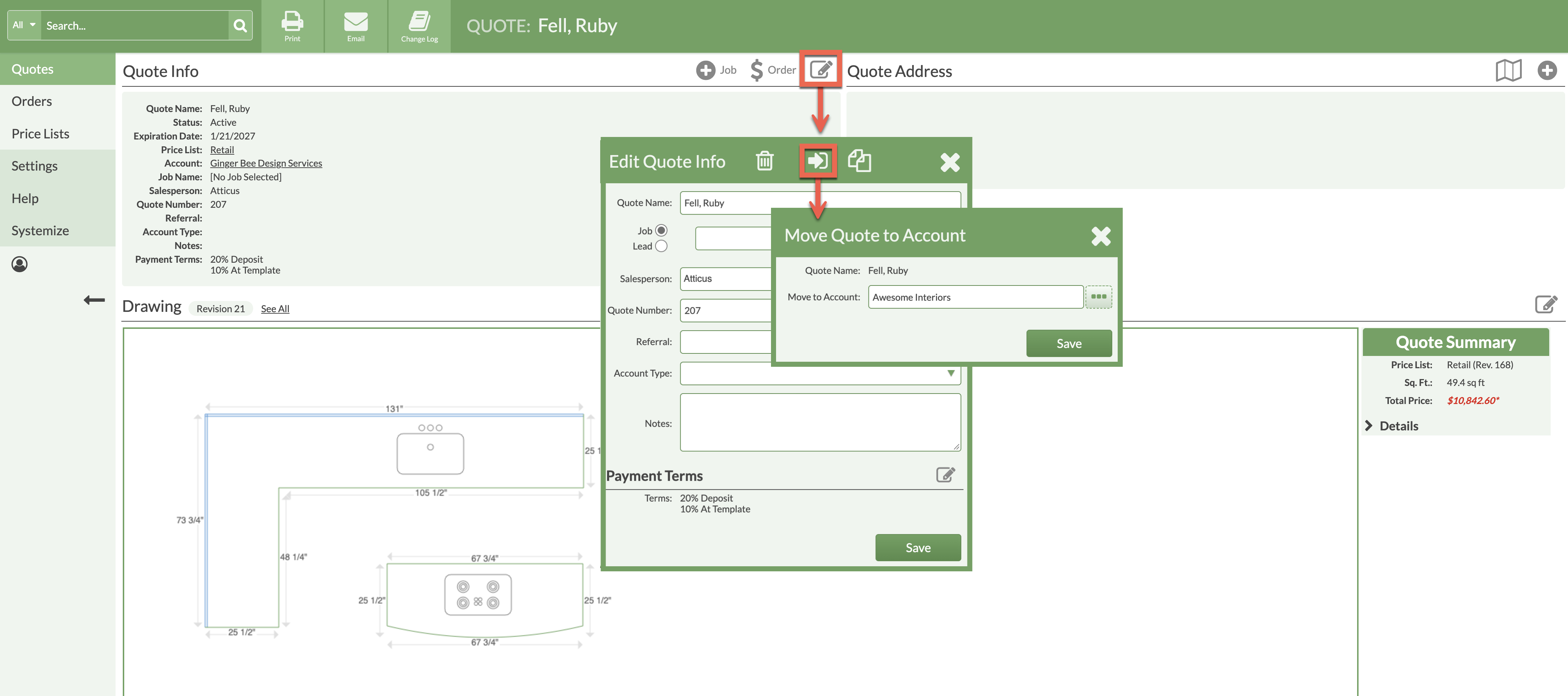
Need to move an existing Quote to a different Account? Quotes can easily be moved from one Account to another in CounterGo.
If the Account does not appear in the drop-down list, it may need to be associated with the Price List used for the Quote first.
- Open the Quote and click the Edit icon.
- Click Move to Account button.
- Click the More button (3 dots) to see Accounts.
- Select an Account. Use the Search field if you don't see it right away.
- Click Save > Save.