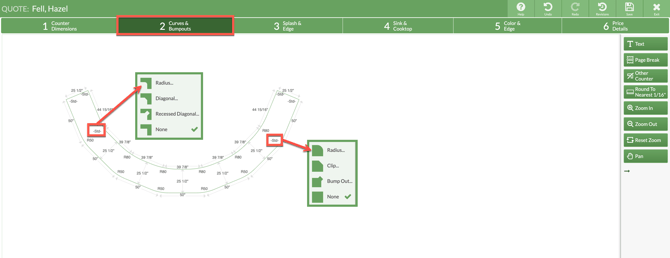
Need to create a curved bar top or overhang? Modify a rectangular piece to achieve a curved countertop.
- Draw a rectangle in Step 1.
- In Step 2 click the edge and choose Add Bump-Out Arc.
- Set the Depth and Width equal to the depth and width of the original rectangle.

- Click on the opposite edge and choose Add Bump-In Arc.
- Set the same Depth and Width, and now you have a curved top.

MULTISEGMENT CURVES
For larger curves, draw a spiral shape in CounterGo, then change each inner adn outer corner angle to approximate a curve.
Adjust counter segments and corner radiuses to approximate the total length of the curved top.
-
Go to Step 1 > Draw a spiral countertop.
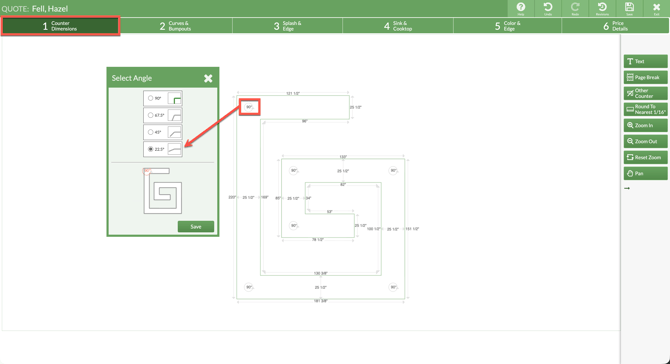
- Click on each corner angle and adjust to 22.5 degrees. Use uniform lengths on each segment to create a rough curve.
- Go to Step 2 > set each inner radius to 80 and the outer to 50.